
Product
Smartize
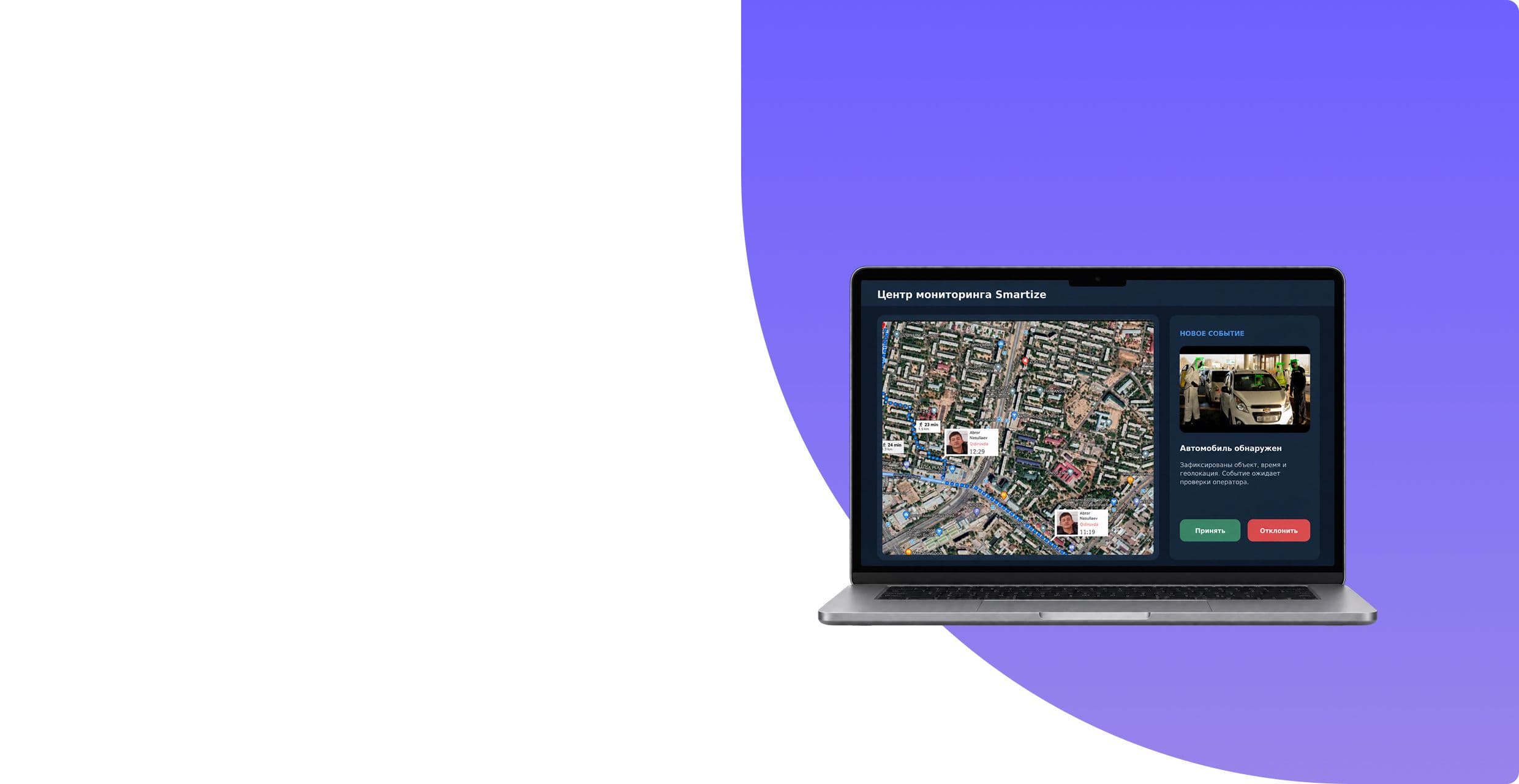
The solution binds cameras, computer vision modules, observation base, map and monitoring center. System recognizes faces and cars, identifies confirmed visual cues and transmits event to the responsible initiator.
Smartize
City security and video analytics
Operators and situation centers
Web, computer vision, VR/AR
With manual observation, the operator has to constantly watch the video, remember signs and separately compare events with databases. The more cameras and observation points, the it is more difficult to notice the desired object in time and restore its movement
Tell us about the project — we will break down the task and propose an implementation approach.
The team did not work on a separate algorithm, but on the full path of the event: object fixation, feature recognition, database matching, geolocation, notification and follow-up analysis
Defined objects, events and operator actions
Linked video, footage, signs, time and geolocation.
Set up facial recognition cars and license plates
We combined the recording of events, their display on the map and transmission of signals to the operator.
We created a working interface, provided VR/AR and a modular basis for new scenarios.
The stream from observation points enters the computer vision modules. They highlight the object determine its characteristics, compare the result with the base and create an event. Server part saves the frame, video, time and geolocation, after which the monitoring center shows the signal operator
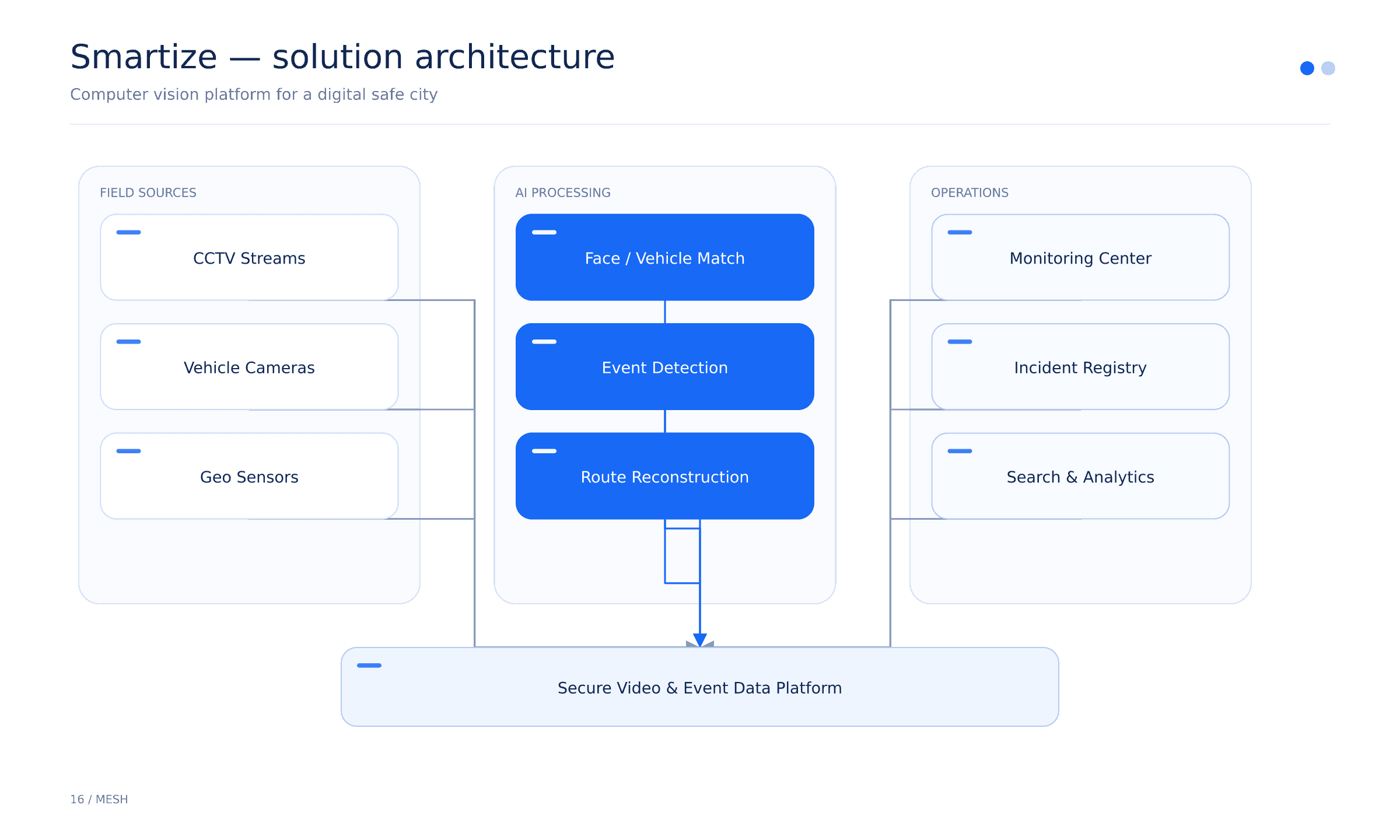
The system combines observation points, AI modules, a server part and a monitoring center for collecting, analyzing and quickly displaying data.
The functions are built around a real event: the system finds an object, describes it, matches the base, associates commits, and passes the result to the operator
Detects a face in the frame and generates data for comparison. Benefit: spot the right person faster
Compares the detected face with the available database of wanted persons. BENEFITS: Reduce manual checking
Defines gender, age and clothing color as search parameters. BENEFITS: Narrow your search by description
Identifies the number, type, model and color of the vehicle. BENEFITS: control transport
Detects pedestrians crossing the road at a red light. BENEFITS: record an event automatically
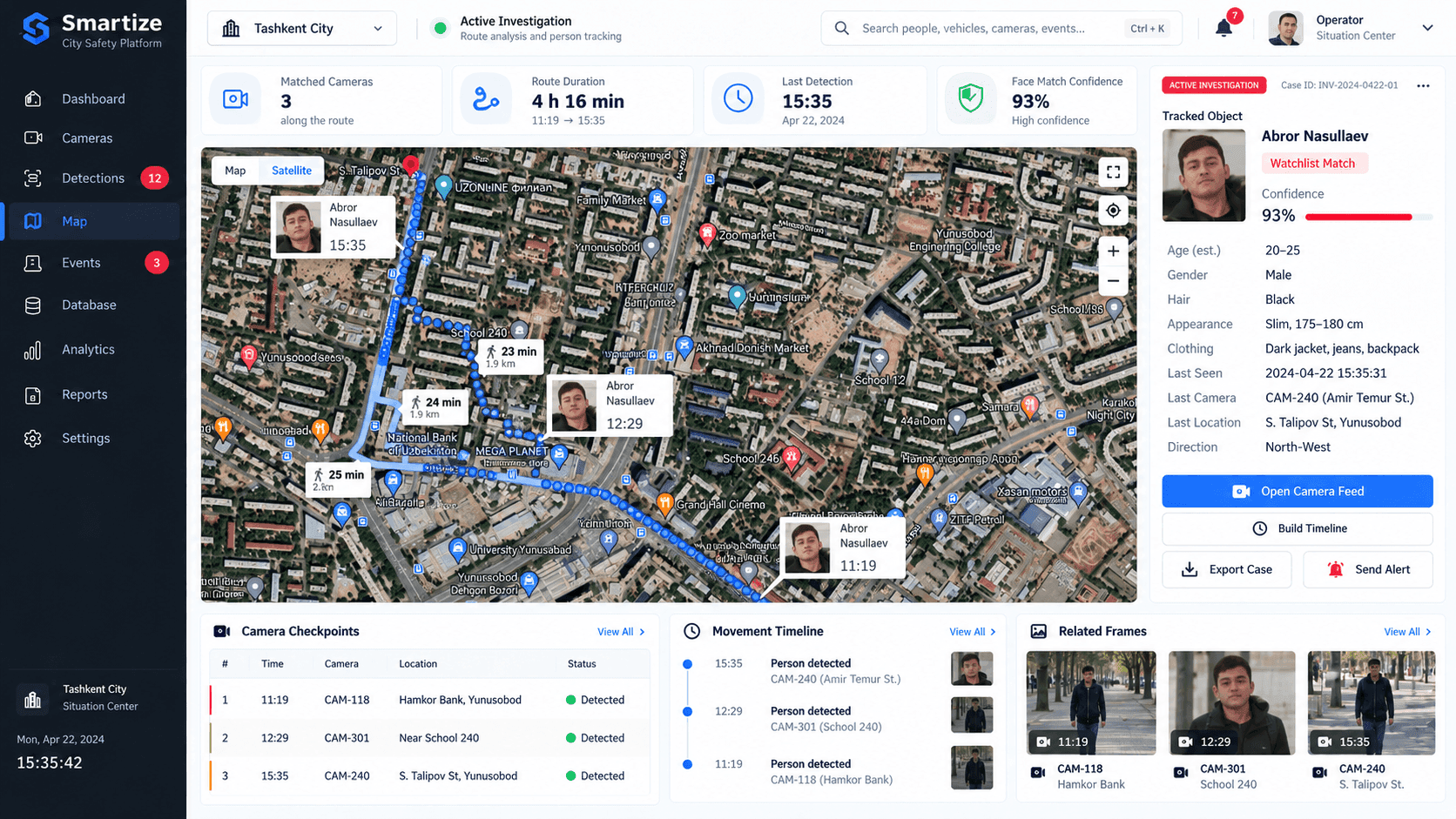
Combines fixations and shows the movement of an object. BENEFITS: restore movement
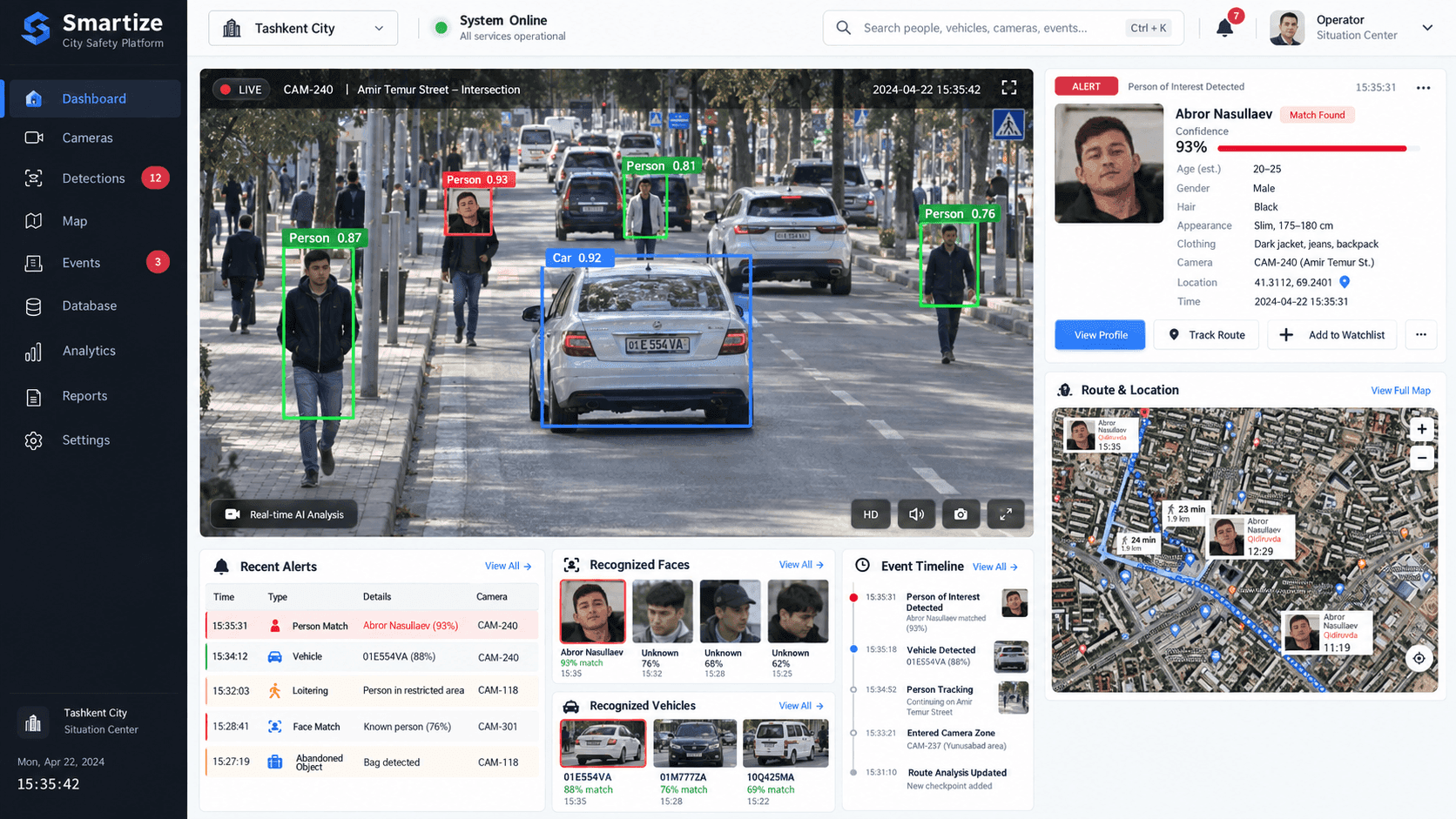
The camera highlights people and the car in the frame. B the focus is on found objects and fact events.
The operator sees successive fixation points, time and line of movement on the city map.
We will propose a suitable structure and prepare the first sketch of your future project — with no obligation to start development.
You get a visual concept you can discuss with your team.

He will review your project and business objective, prepare recommendations and the first sketch.
An honest conclusion.If the solution can be improved without a full rebuild, we will tell you so.