Client and business
Manufacturer of household appliances and electronics with a wide product line and a network of showrooms.
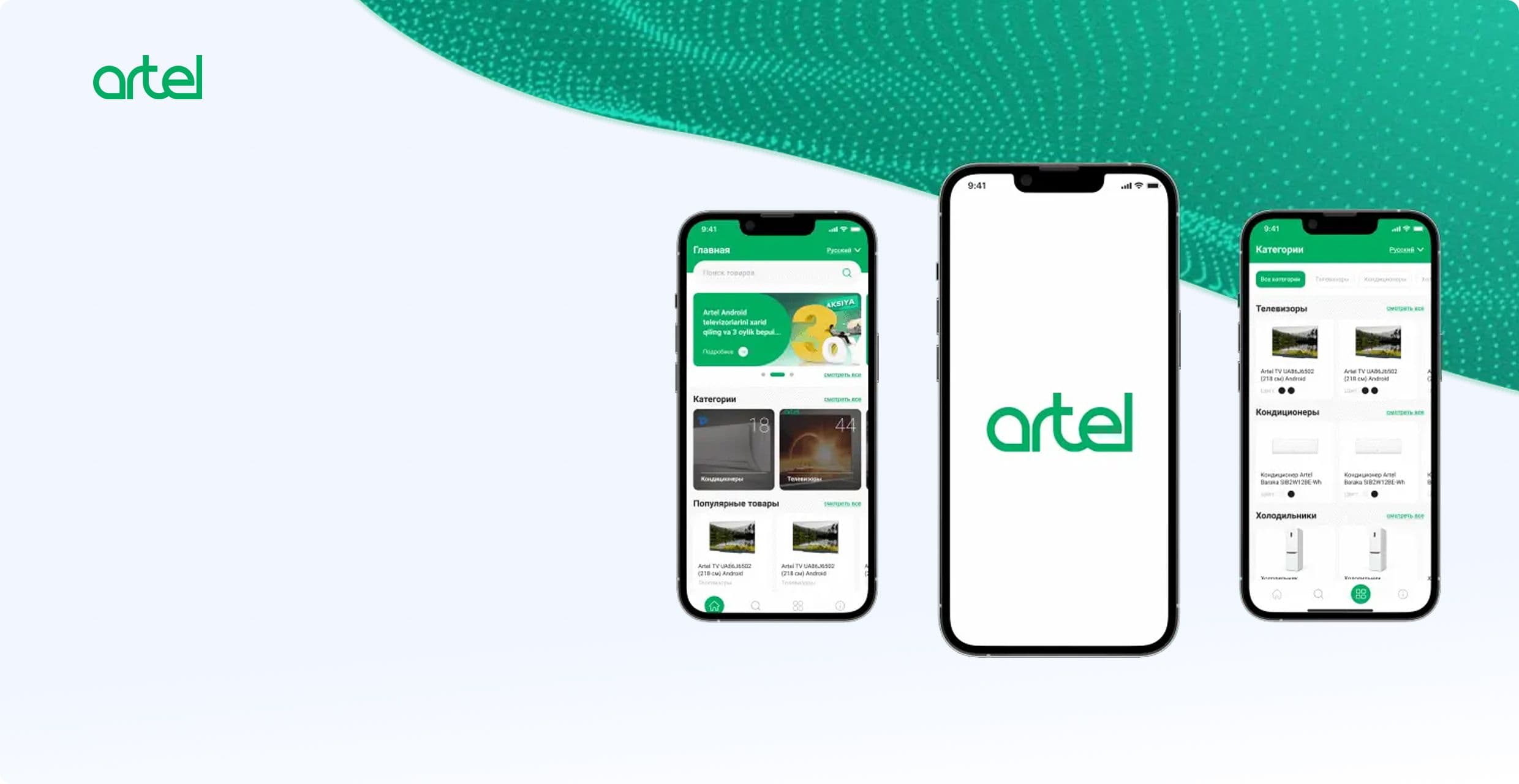
Artel produces household appliances and electronics. Showroom customers needed an easy way to explore categories, models, features, promotions and company information. We designed and developed a mobile electronic catalog, as well as a server part and admin system for updating content.
Manufacturer of household appliances and electronics with a wide product line and a network of showrooms.
Give the visitor quick access to up-to-date information about products and simplify communication with the sales office.
Conducted requirements analysis, designed user scenarios and interfaces, developed an Android application, server part and content management.
Catalog, information pages, promotions, feedback and analytics are combined into one manageable digital loop.
In the showroom, it is important for the client to quickly find the desired category, compare models and receive detailed specifications. With a wide range of printed materials and employee consultation, it is not enough: information must be available directly on the device and updated centrally.
The catalog covers TVs, air conditioners, refrigerators, washing machines, vacuum cleaners, kitchen and other appliances. In addition to goods, the client needs promotions, service centers, partners, production, innovation and export geography.
Tell us about the project — we will break down the task and propose an implementation approach.
The project included not only mobile screens. It was necessary to connect the customer journey, the structure of a large catalog, the work of the content team and data collection in one system.
We studied the showroom's tasks, content composition, user scenarios, employee roles and analytics requirements.
We created the section structure, navigation logic, search, product card, language change and data update script.
We designed interfaces for vertical and horizontal orientation, prepared screens for the catalogue, promotions and information pages.
Implemented API, content storage, role management, processing of updates, messages and usage statistics. We implemented a catalog, local search, bilingual interface, contact form and receiving updates from the server part.
We gave employees tools to manage products, categories, promotional pages, promotions and sections about the company.
The client works with an Android application, and Artel employees work with a closed administrative system. Both interfaces are connected to the backend via an API. The catalog and information pages are stored centrally, so changes are available to the application after the data is updated.
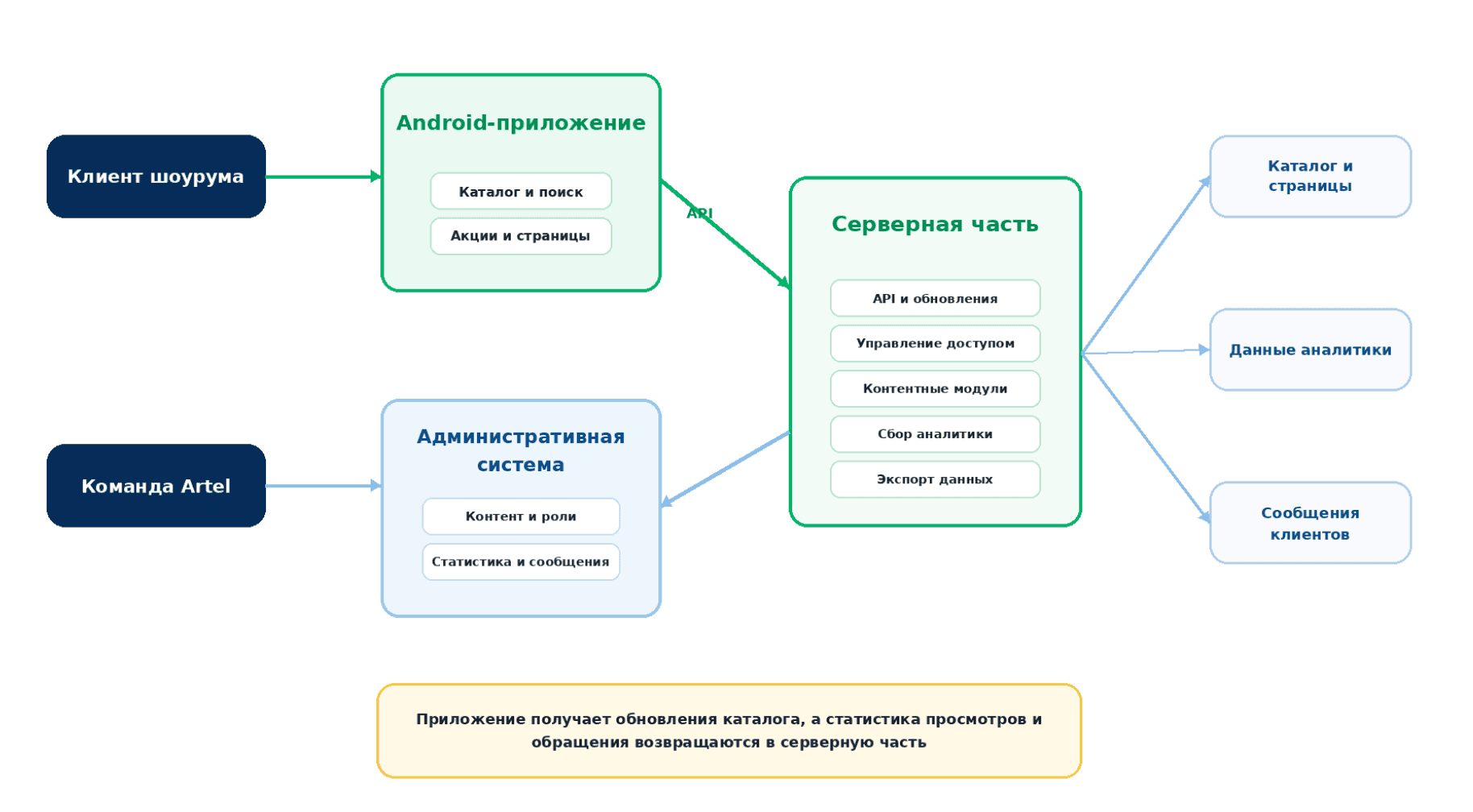
Architecture of the Artel electronic catalog
We will show how to connect interfaces, business logic, data and external systems.
The application helps the client explore the assortment without unnecessary steps. The backend allows the team to keep the catalog up to date and understand which sections are of interest.
Products are grouped by category. The user sees the selections, the number of models and quickly moves to the desired section.
The search works for products in the selected language and helps you find the right model without lengthy navigation.
Photos, advantages, characteristics, screen parameters, connections, power consumption and dimensions are collected on one page.
The team publishes promotions and separate promotional pages, and the user moves from the offer to a detailed description.
Russian and Uzbek interfaces work in vertical and horizontal modes on Android devices.
The system collects views and visits, receives customer messages and generates Excel downloads for analysis.
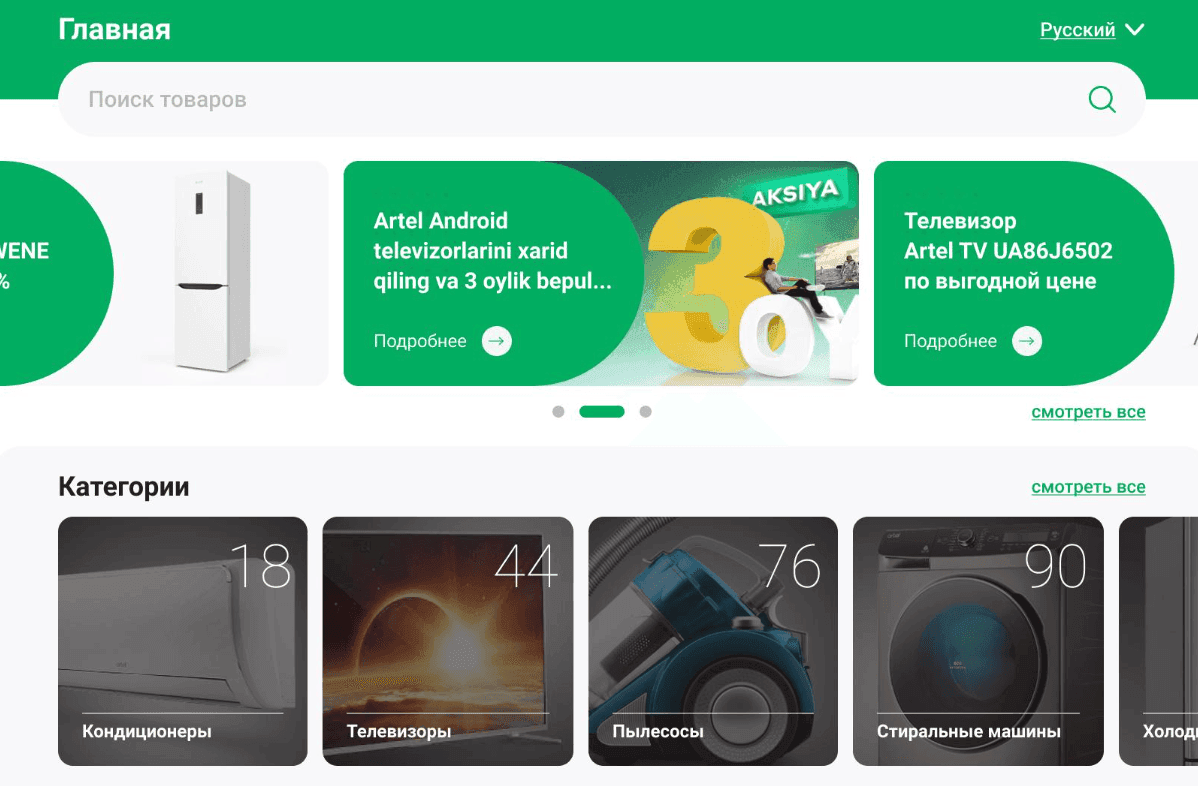
The main screen combines search, promotions, categories and popular products. The user begins to get acquainted with the assortment from one point.
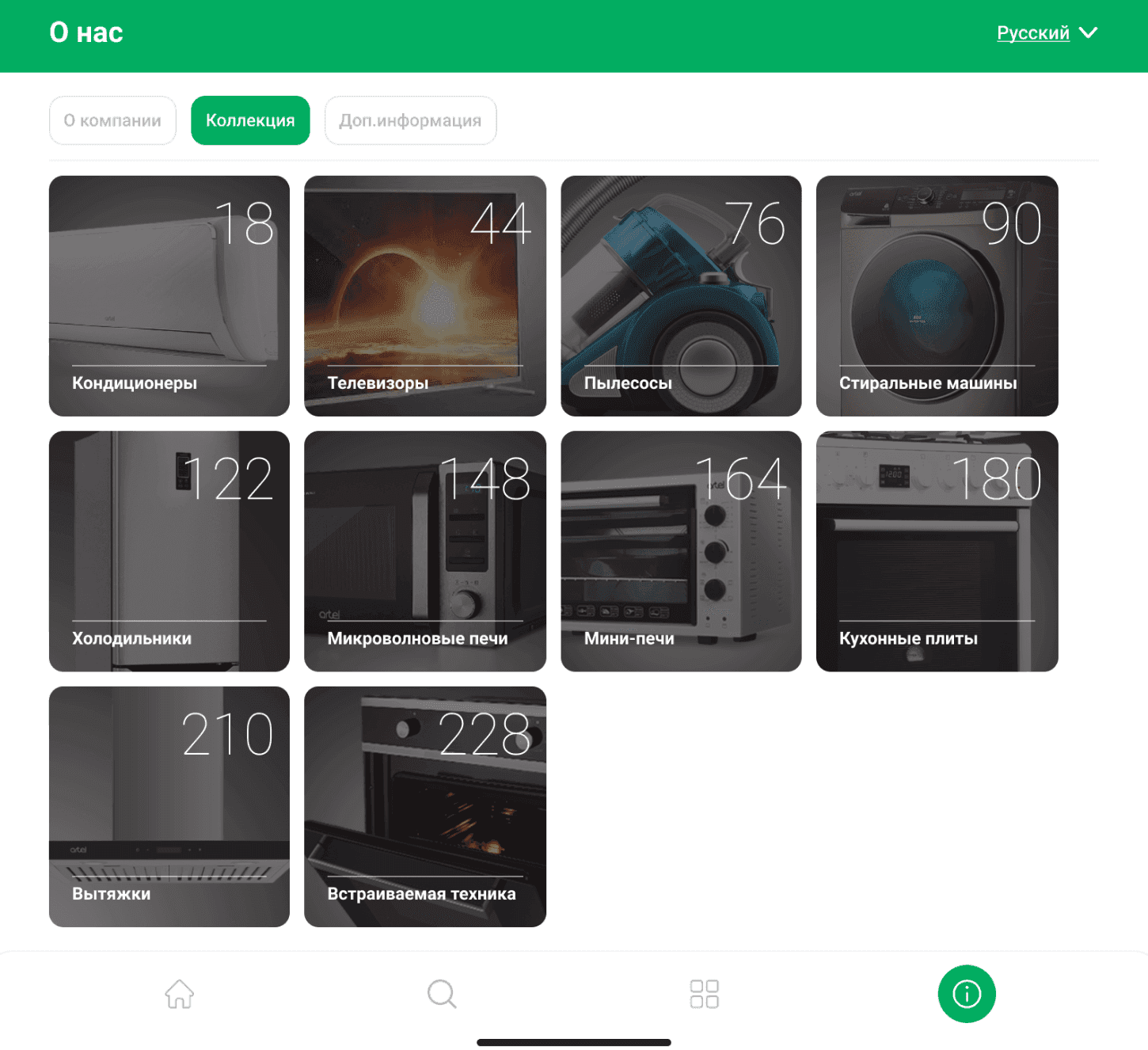
The “About Us” section shows product areas and collection size by category - from air conditioners and TVs to built-in appliances.
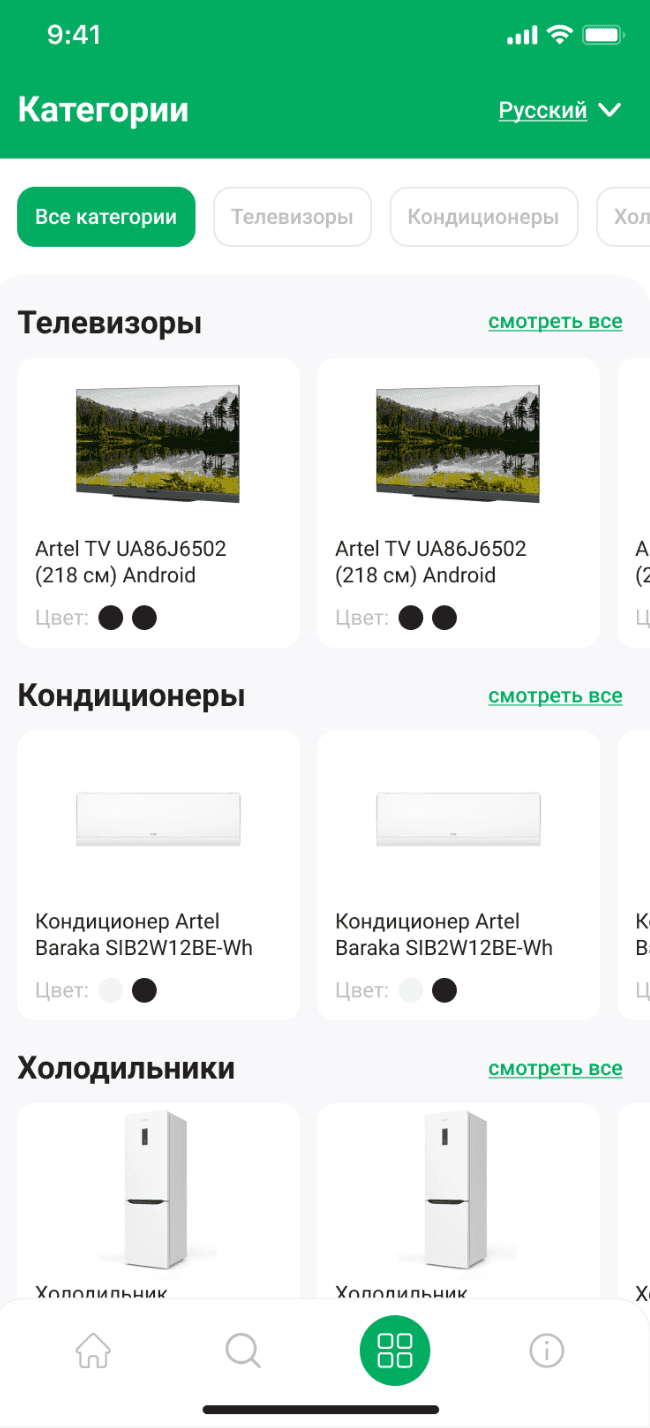
Categories and products are grouped by type of equipment. Switches at the top help you quickly jump to the desired section.
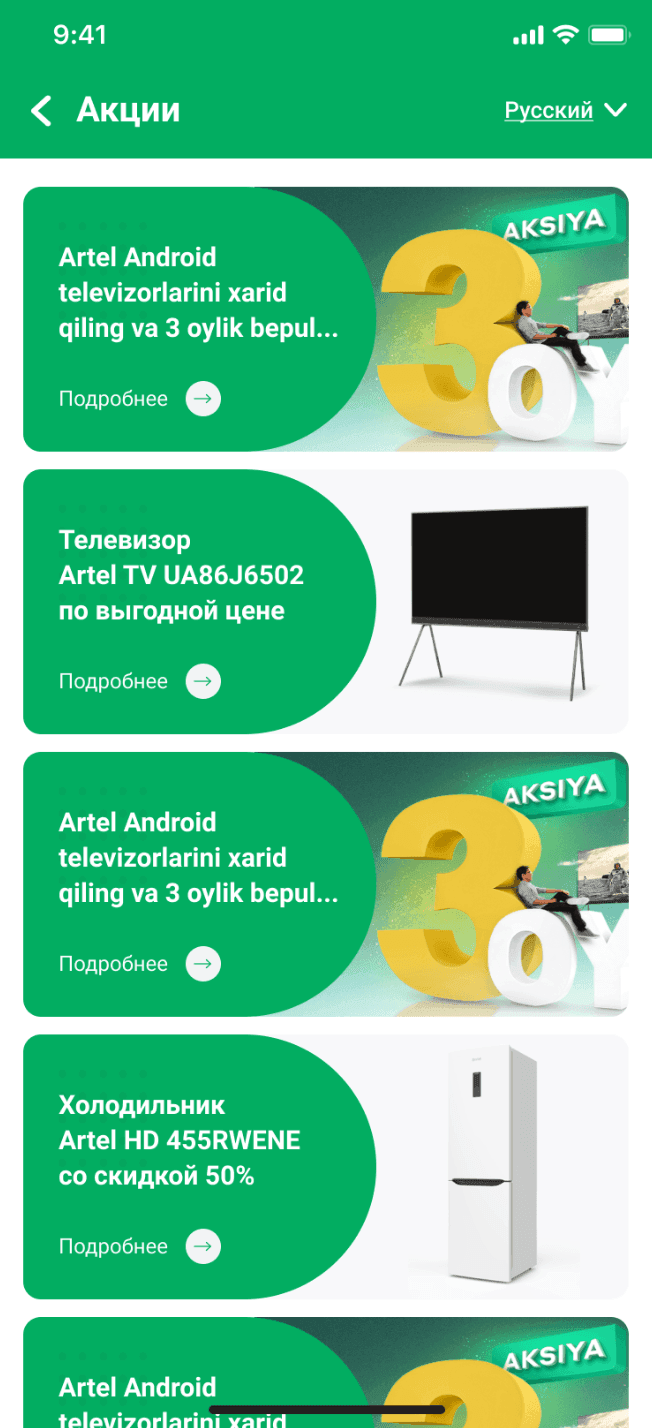
The feed shows active offers and leads to a separate page for each promotion. Content is updated through the administrative system.
The page contains an image, advantages and thematic groups of characteristics. The user studies the model and moves on to similar products.
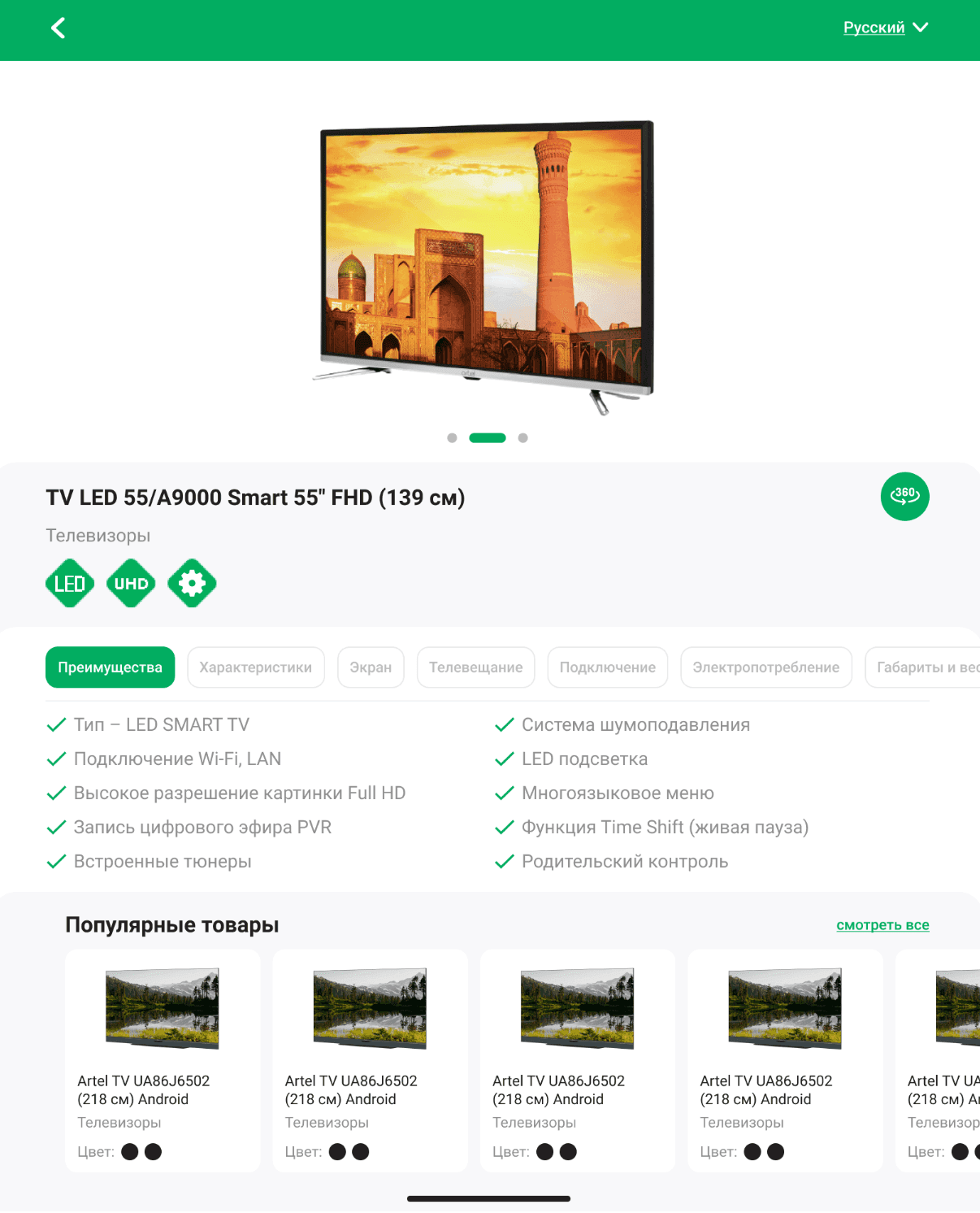
We will analyse the functionality and build a clear interface structure.
Defining goals, studying the audience, forming requirements and setting tasks. This helps to understand what the business needs and what results are expected.
Creating the solution architecture, thinking through user scenarios, interfaces and logic. At this stage the 'framework' of the future product is formed.
Programming the server and client parts, connecting databases, integrating with external services. This is where the idea turns into a working product.
Checking functionality, performance, compatibility and security. Fixing bugs before the product reaches users.
Deploying the product (for example, publishing in stores or launching on servers), configuring the environment and starting marketing or internal processes.
Updating functionality, adapting to new business tasks, fixing bugs and keeping the product up-to-date.
Artel received a managed digital product for showrooms: the client studies the assortment in the mobile application, and the team updates materials and analyzes usage through the server part.
Categories, products and characteristics are available in one application
The directory and pages are changed through the administrative system
The contact form conveys a message to the Artel team
Views, visits and Excel downloads available
 01
01 02
02 03
03 04
04 05
05 06
06 07
07 08
08 09
09 10
10 11
11 12
12 13
13 14
14 15
15 16
16 17
17 18
18 19
19We build enterprise solutions using a powerful, proven, and
versatile tech stack designed for performance, scalability, and
security. Our expertise spans




















We will propose a suitable structure and prepare the first sketch of your future project — with no obligation to start development.
You get a visual concept you can discuss with your team.

He will review your project and business objective, prepare recommendations and the first sketch.
An honest conclusion.If the solution can be improved without a full rebuild, we will tell you so.