Client and business
Bidtracer is an operating system for construction companies. The project was completed by DevSymfony together with partner CansolveIT.
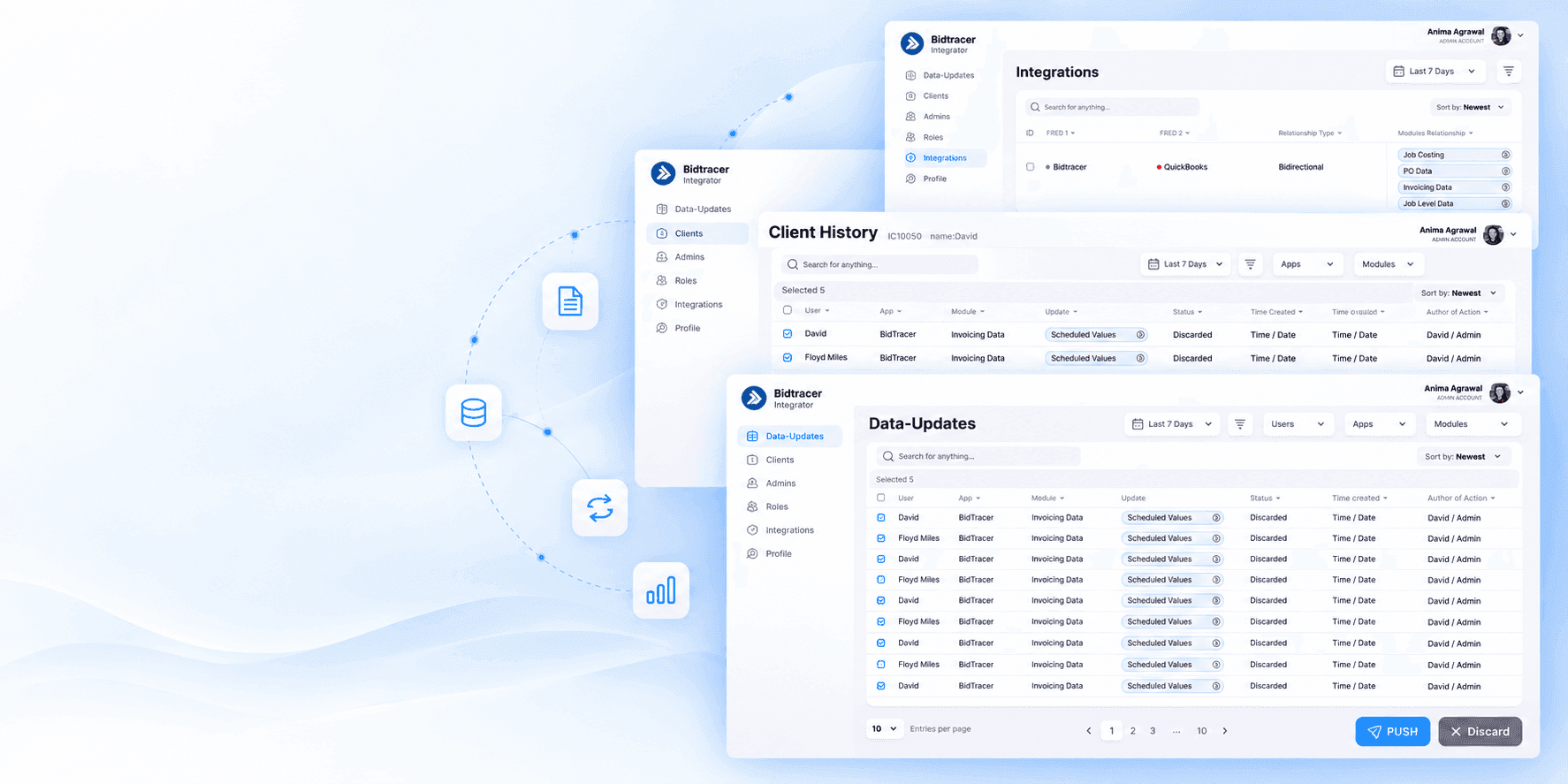
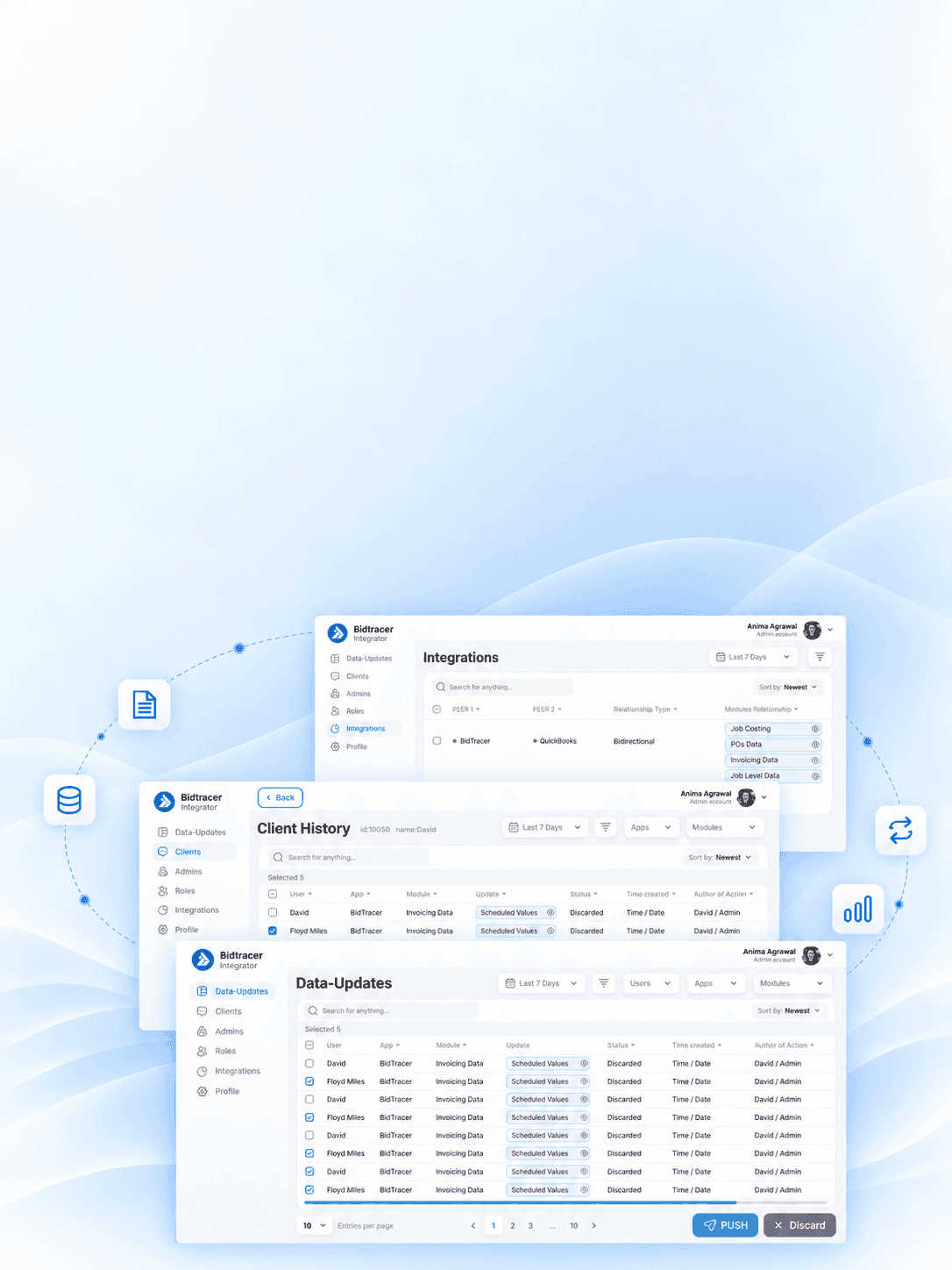
We developed a local middleware integrator and a central administrative panel for managed data exchange between Bidtracer and QuickBooks Desktop.
In Bidtracer, employees maintain projects, purchases, invoices and documents, and financial records should be reflected in QuickBooks Desktop. Manual migration created repetitive work and made change control more difficult.
Bidtracer is an operating system for construction companies. The project was completed by DevSymfony together with partner CansolveIT.
Automate exchanges with QuickBooks Desktop and maintain data verification before final accounting entry.
Conducted an analysis, prepared technical specifications, designed UX/UI, developed a desktop integrator, mapping, administrative panel, roles, logs and monitoring.
The transfer has become a controlled process: the record can be checked, corrected, sent or rejected, and each action remains in history.
Operating and accounting systems use different data structures and rules. Even if a record can technically be transferred, it needs to be matched with the desired module, the fields must be checked and it must be understood who confirmed the sending.
Before the project, employees transferred data manually. This took time, created the risk of inconsistencies, and did not provide a single place to see the status of all submissions and client installations.
Tell us about the project — we will break down the task and propose an implementation approach.
We examined the Bidtracer and QuickBooks Desktop processes, key modules, manual transfer points, statuses and exceptions.
We prepared technical specifications, designed local installation, instance registration, commands, logs and interaction with QuickBooks SDK.
Designed interfaces for Data-Updates, clients, integrations, roles, record details, filters, notifications and history.
Implemented a local integrator in C# and .NET, authorization, mapping, checking records and transferring to QuickBooks Desktop. Implemented the administrative panel, server logic, roles, client instances, statuses, commands and audit log.
We checked mapping, Push and Discard, pending scenarios, conflicts, access rights, filters and connection with QuickBooks Desktop.
Each Bidtracer client has a separate desktop integrator installed. It authorizes the client, retrieves the records, converts the fields, and pushes the verified data to the local QuickBooks Desktop via the SDK. The central admin system stores clients, statuses, history and management commands.
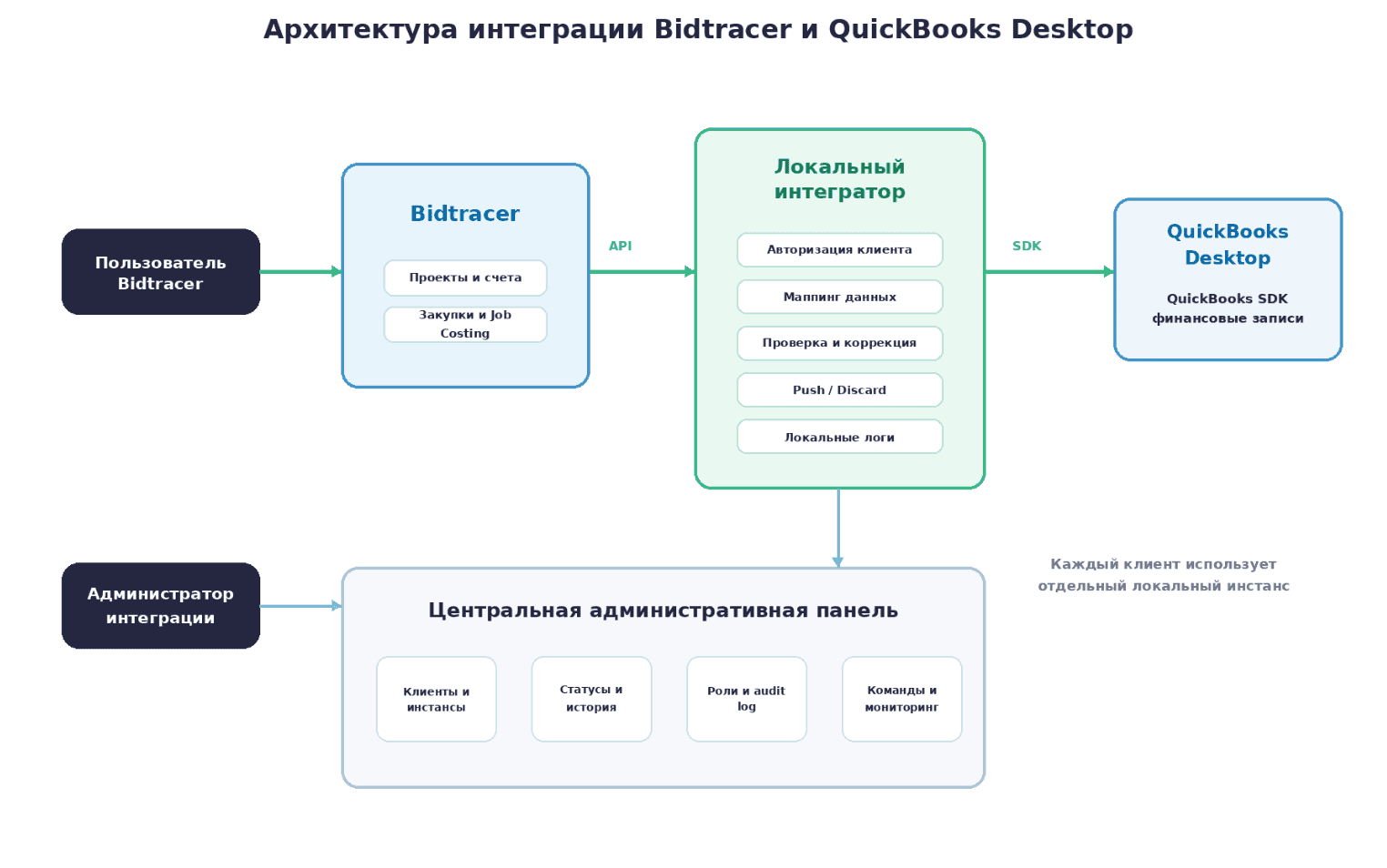
We will show how to connect interfaces, business logic, data and external systems.
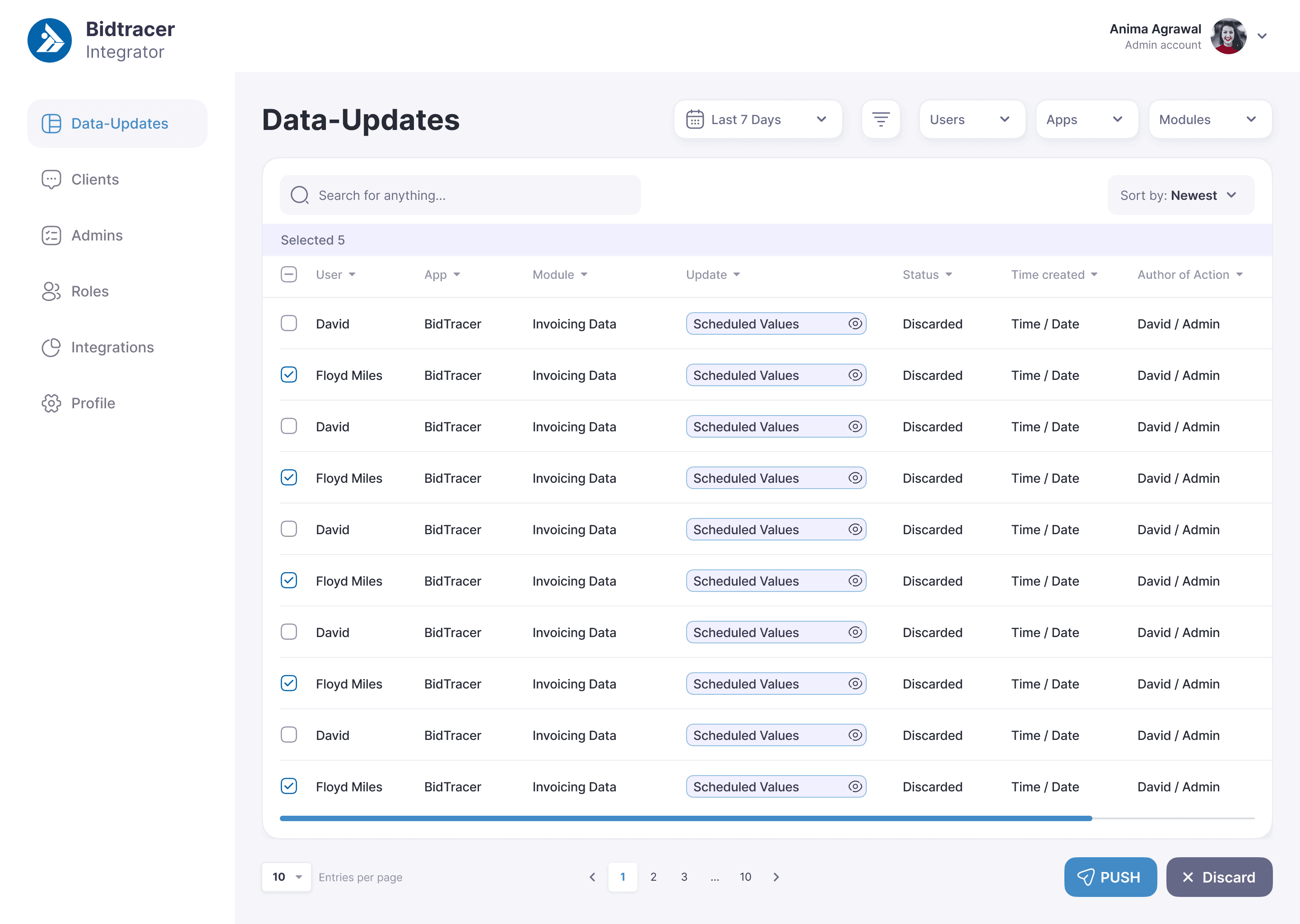
A single queue of records with user, system, module, data, status and creation time.
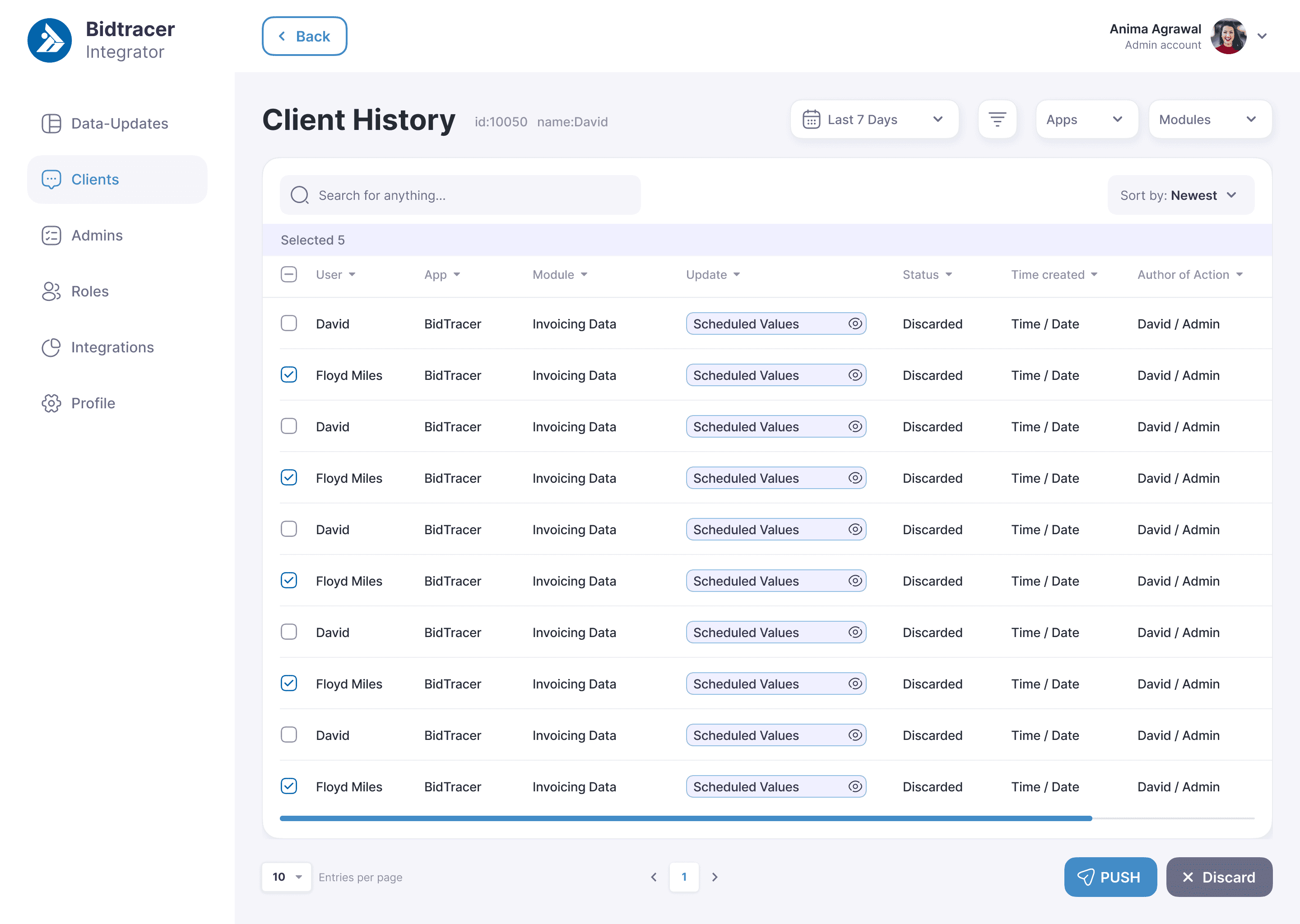
The user selects records, checks the details and makes a decision: send to QuickBooks or reject.
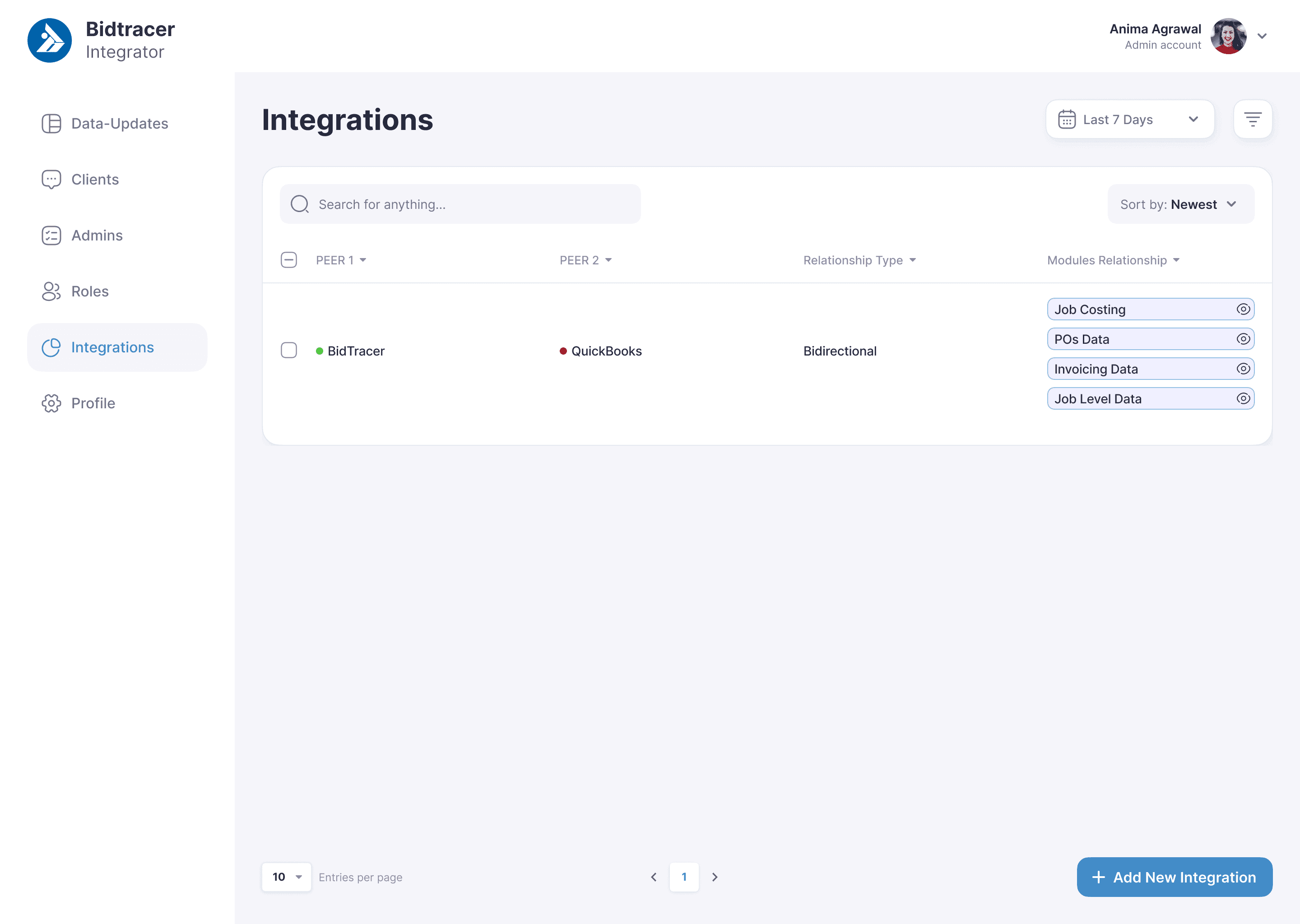
Bidtracer fields are mapped to the QuickBooks structure by modules: Job Costing, POs, Invoicing and Job Level Data.
Each local installation is registered separately; The panel shows the client, status, latest activity and history.
The system records operations and changes, identifies controversial fields and transfers the conflict to manual resolution.
Rights separate the actions of users and administrators; authorization, interlocks and log entries protect the circuit.
The main working window shows records from Bidtracer and QuickBooks, their modules, values and statuses. The user reveals the details, selects rows and launches Push or Discard.
The history of a specific client collects all operations by application and module. This allows you to restore the sequence of submissions and understand where the entry was rejected.
The section shows the connection between Bidtracer and QuickBooks, the type of exchange and connected modules. The new integration is created as a separate managed configuration.
We will analyse the functionality and build a clear interface structure.
Defining goals, studying the audience, forming requirements and setting tasks. This helps to understand what the business needs and what results are expected.
Creating the solution architecture, thinking through user scenarios, interfaces and logic. At this stage the 'framework' of the future product is formed.
Programming the server and client parts, connecting databases, integrating with external services. This is where the idea turns into a working product.
Checking functionality, performance, compatibility and security. Fixing bugs before the product reaches users.
Deploying the product (for example, publishing in stores or launching on servers), configuring the environment and starting marketing or internal processes.
Updating functionality, adapting to new business tasks, fixing bugs and keeping the product up-to-date.
Bidtracer received not just a connector, but a managed operational layer between ERP and accounting. The user retains control over the record, and the administrator receives an overall picture of clients, statuses and actions.
Managed dispatch via local integrator
Check and adjustment before Push
Central monitoring of client instances
Identification of controversial changes and manual resolution
 01
01 02
02 03
03 04
04 05
05 06
06 07
07 08
08 09
09 10
10 11
11 12
12 13
13 14
14 15
15 16
16 17
17 18
18 19
19We build enterprise solutions using a powerful, proven, and
versatile tech stack designed for performance, scalability, and
security. Our expertise spans




















We will propose a suitable structure and prepare the first sketch of your future project — with no obligation to start development.
You get a visual concept you can discuss with your team.

He will review your project and business objective, prepare recommendations and the first sketch.
An honest conclusion.If the solution can be improved without a full rebuild, we will tell you so.